Get a particular code revision
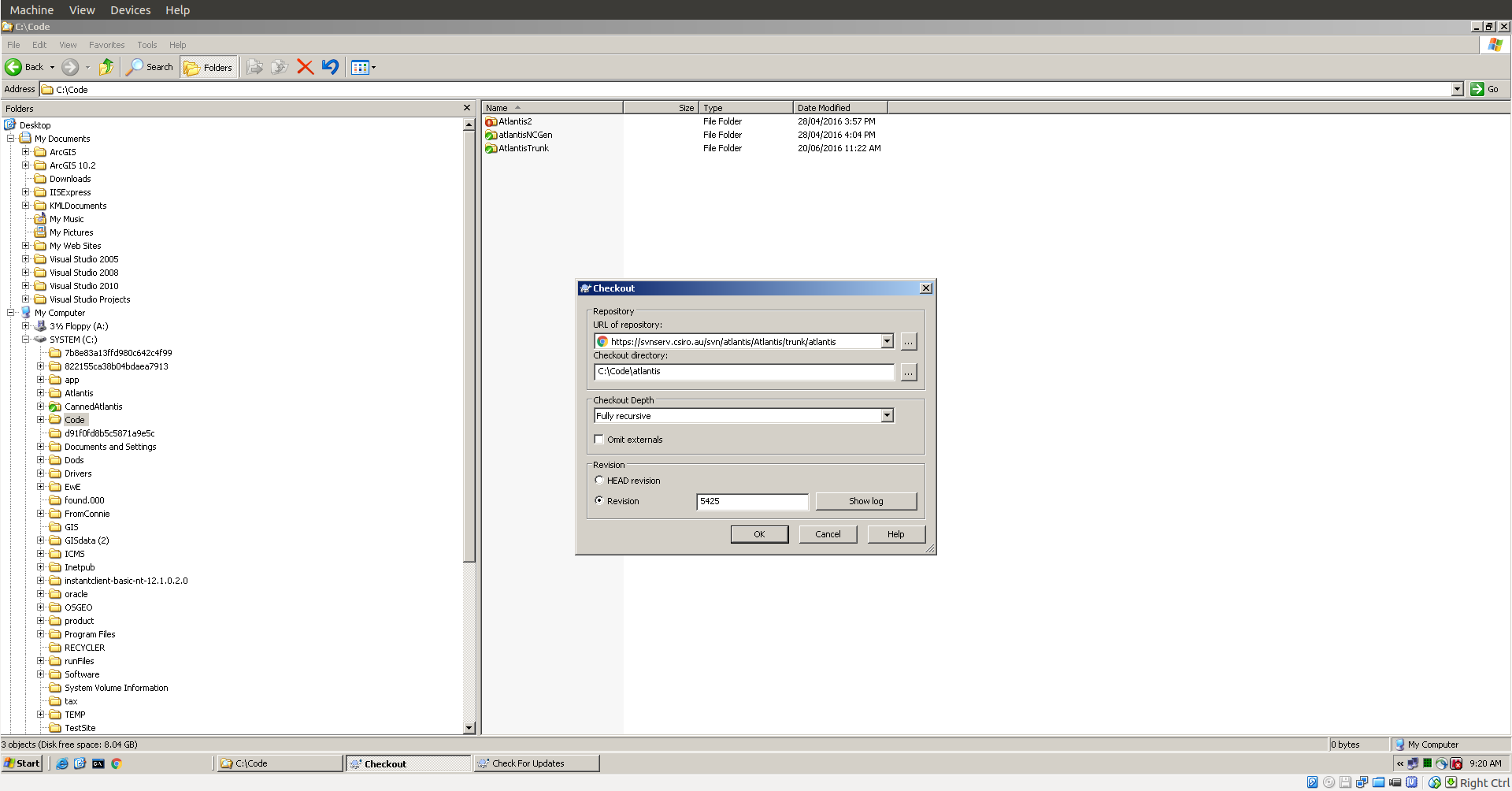
If you have a historic model that you would like to rerun you will need to either update the model or build an Atlantis executable using an old version of the code. If you know which version of the code then you can just checkout that revision using the following instructions.
Linux or Mac users:
If you are using the SVN command line you can use the following:
svn co -r N https://svnserv.csiro.au/svn/atlantis/Atlantis/trunk/atlantis/ .
where N is the revision number you are after. For example:
svn co -r 5425 https://svnserv.csiro.au/svn/atlantis/Atlantis/trunk/atlantis/ .
Windows users:
When using TortoiseSVN you can provide the revision number as per the following image: