Switch working copy to another branch
These notes were written to assist Marie to switch her working copy to a newly created branch.
Step 1:
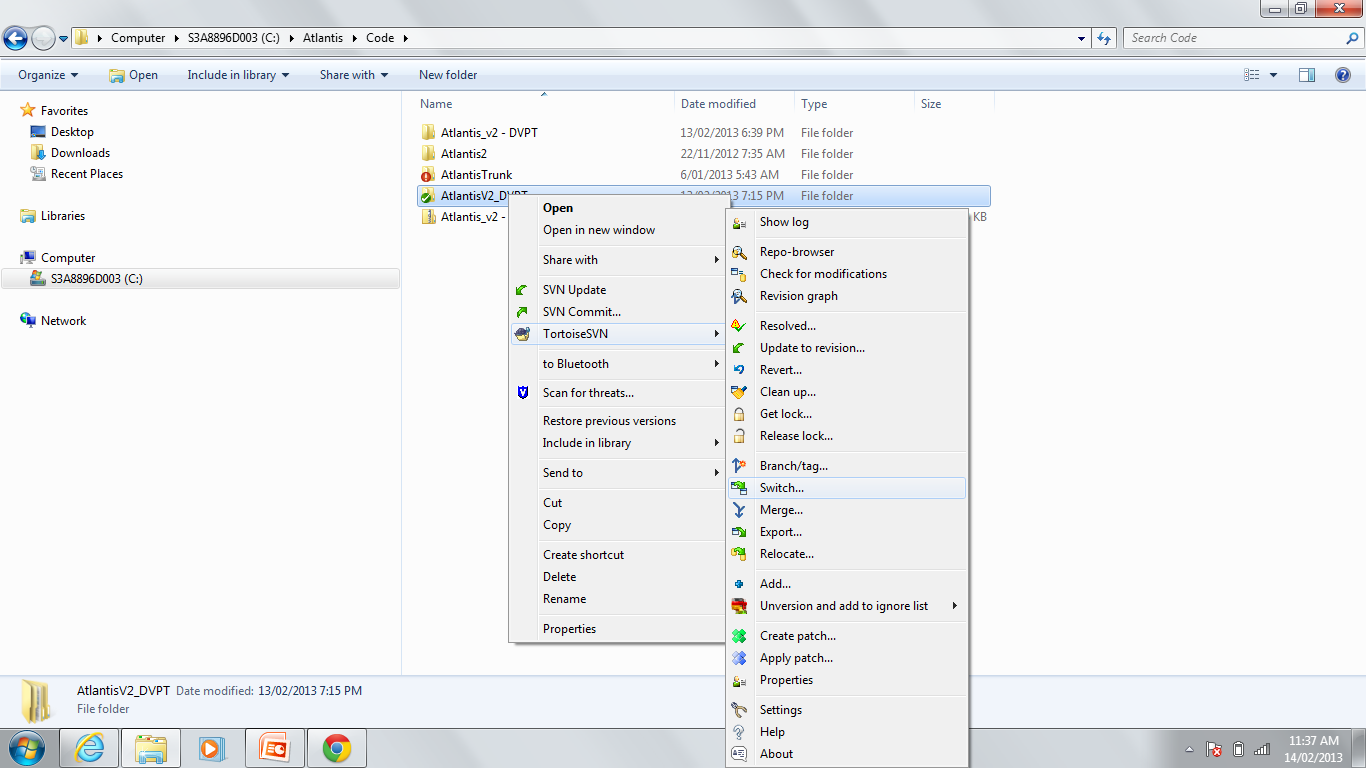
In Windows Explorer right click on your existing code folder. In the ‘TortoiseSVN’ options select the ‘Switch’ option.
Step 2:
In the pop up window set the ‘To Path’ to be the path to your new branch ‘Atlantis/branches/AtlantisV2_DVPT/atlantis/’
Make sure the revision option is set to ‘HEAD’ which means the most recent version in the repository.
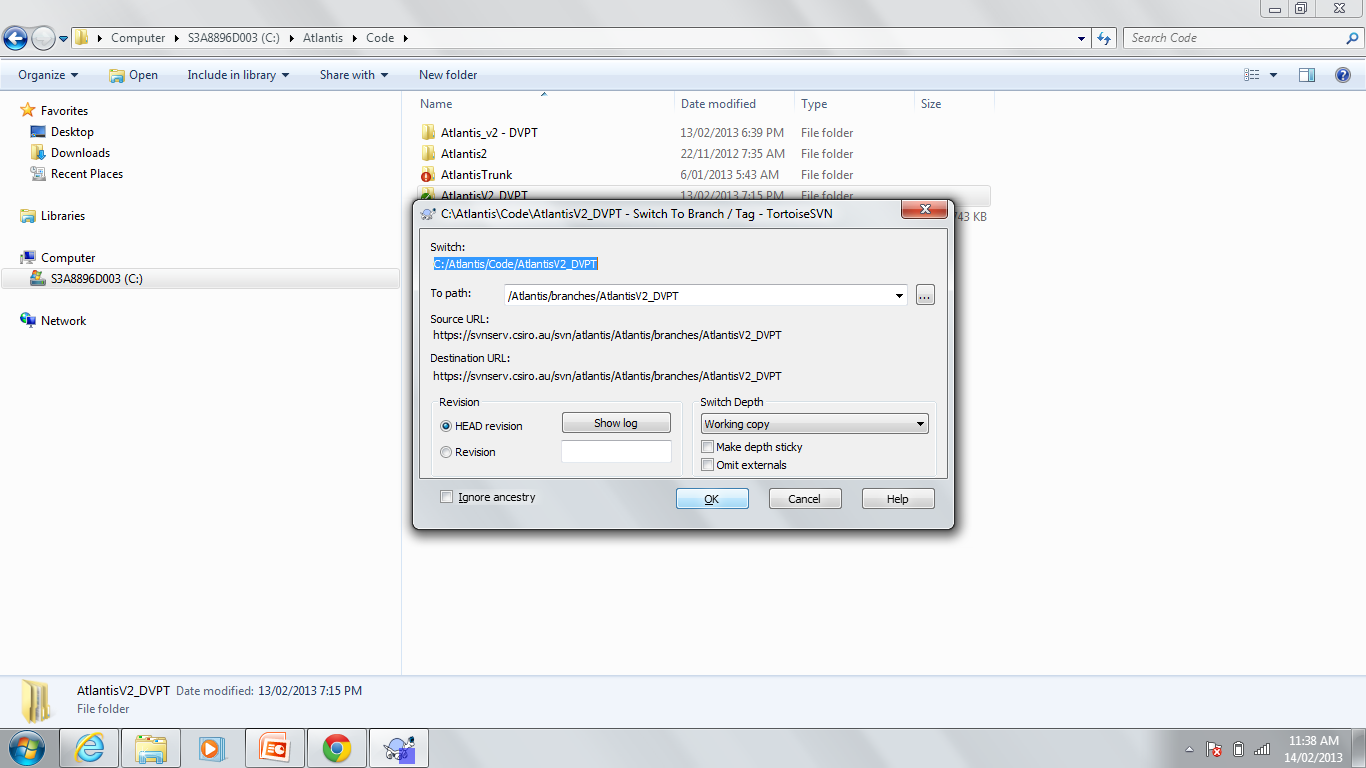
Then click ‘OK’.
Then you should be all good to go.