Updating Visual Studio include and library folders
If you are trying to build HydroConstruct, CDFdistiller or AtlantisNCGen on Windows and you get some errors around sjwlib.h or netcdf.h not being found then these instructions are for you.
These tools point to the netcdf and sjwlib folders within Atlantis2. The default values assume that you have the following setup:
CodeFolderName
->Atlantis
->sjwlib
->netcdf
->cdfDistiller/HydroConstruct/AtlantisNCGen
If for some reason you have a different folder structure to this you will have to change the settings in the cdfDistiller project to tell it where to find the
sjwlib and netcdf headers and .lib files.
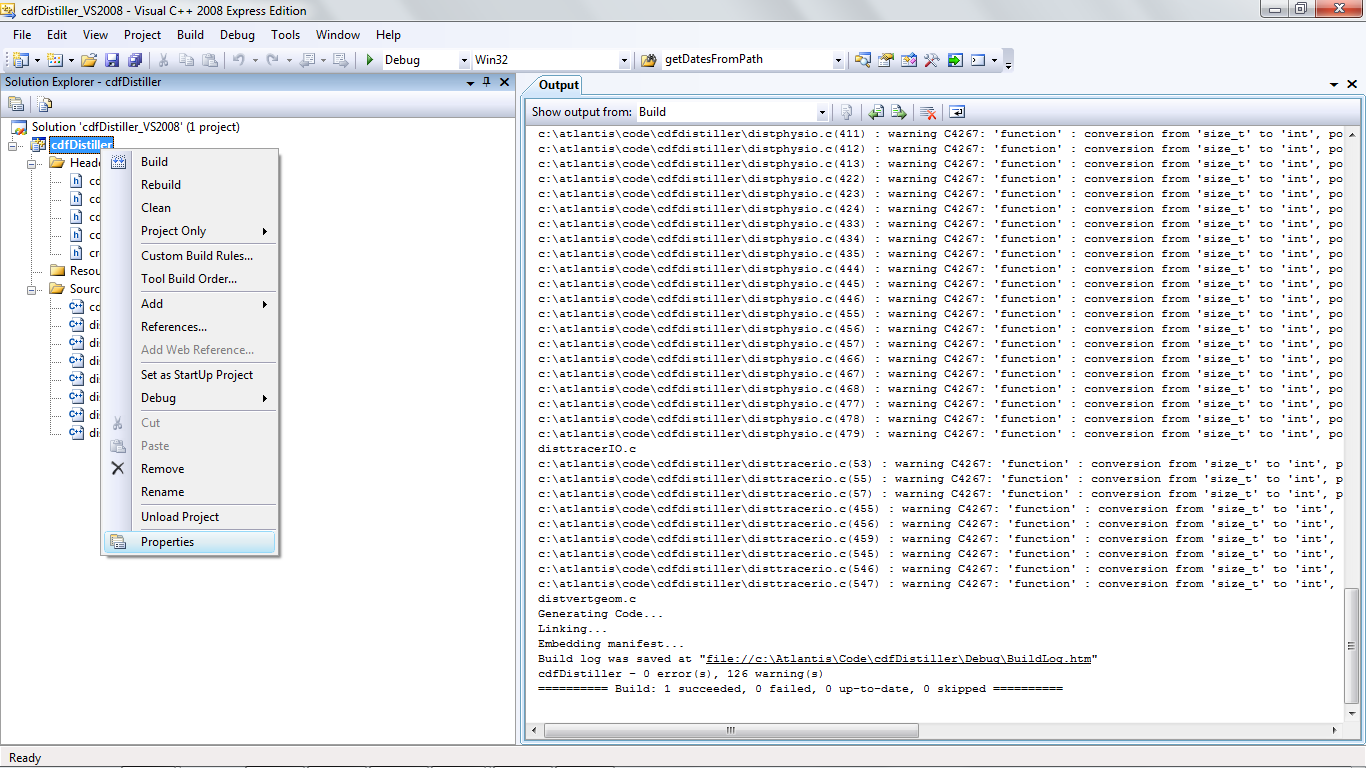
These are set by right clicking on the project (not solution) name and selecting properties.
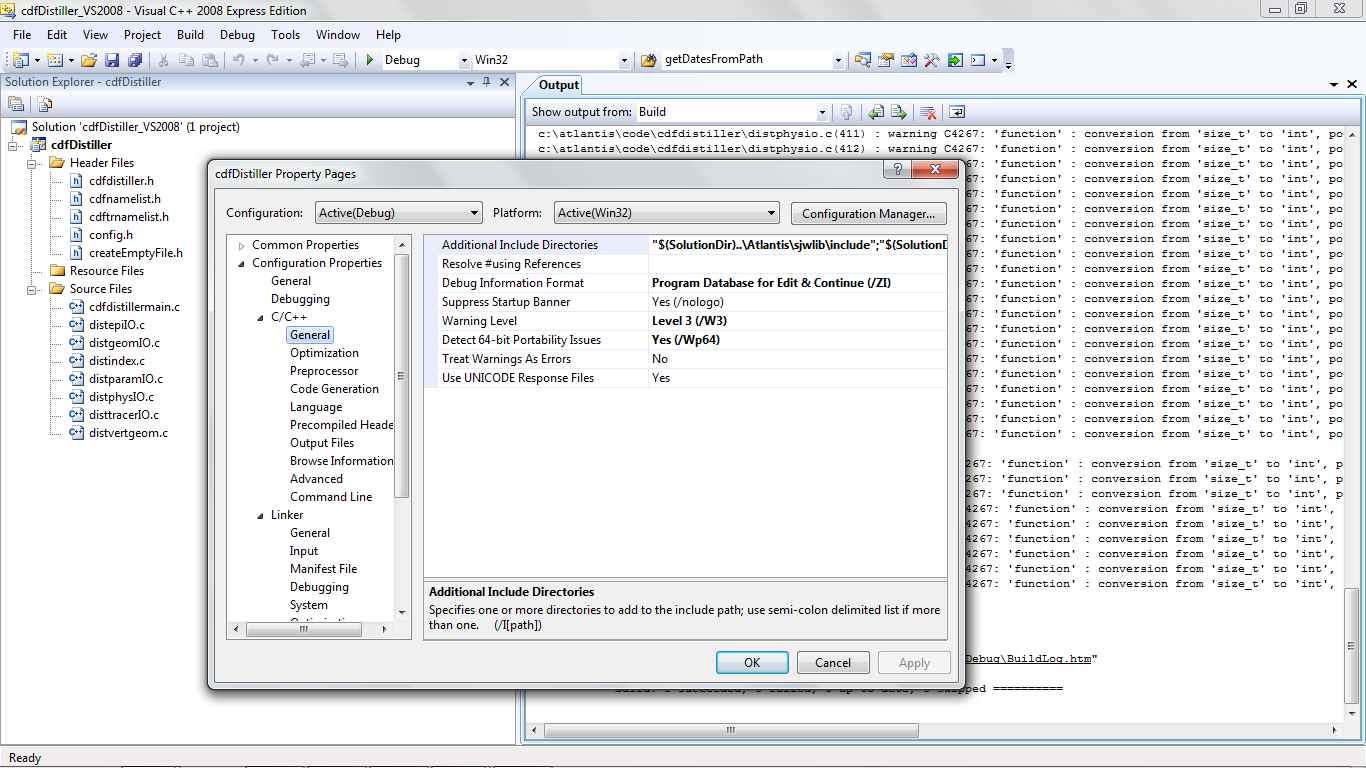
Expand the ‘Configuration Properties’ -> C/C++ ->General option.
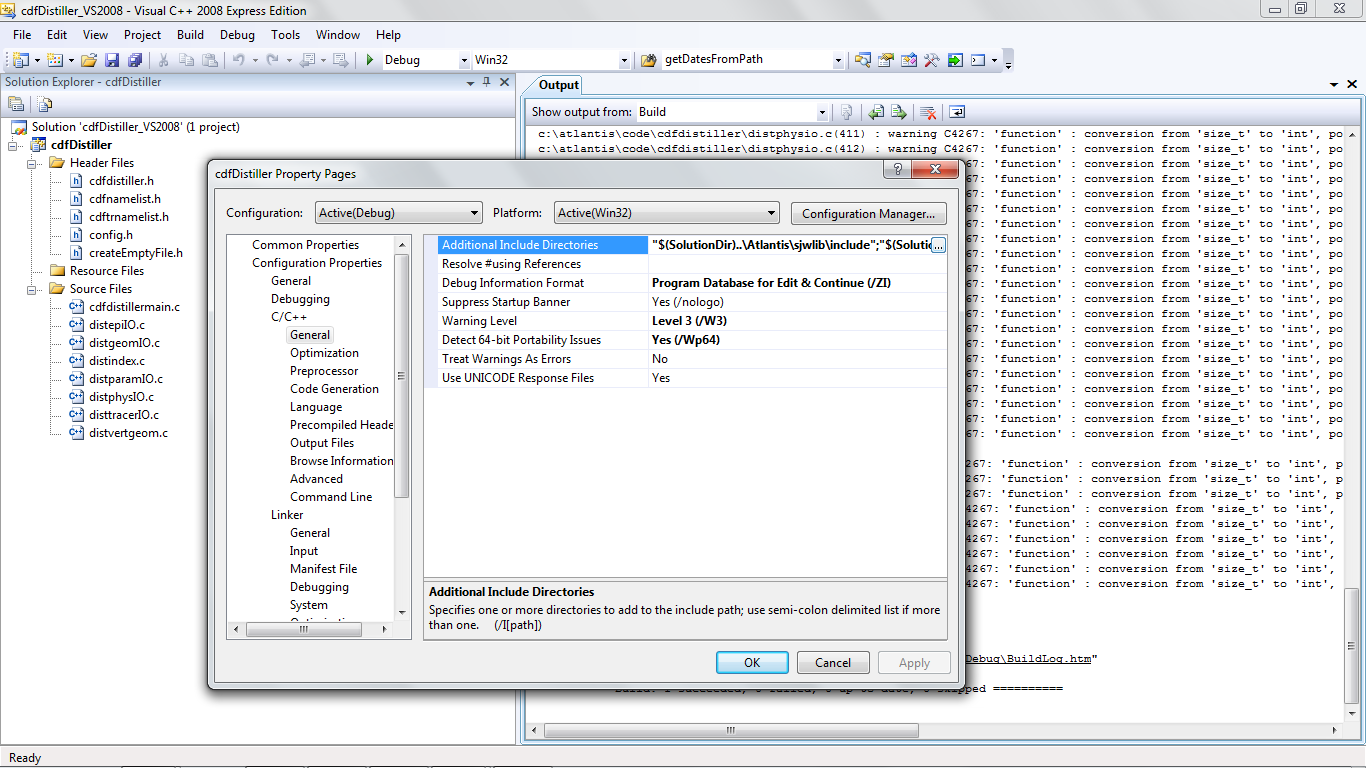
You can expand and edit the ‘Additional Include Directories’ properties by clicking on the button to the right of the field.
The ‘Additional Include Directories’ field will by default contain the following:
“\((SolutionDir)..\atlantis\sjwlib\include";"\)(SolutionDir)..”
Where $(SolutionDir) will be the location you have placed the cdfDistiller code.
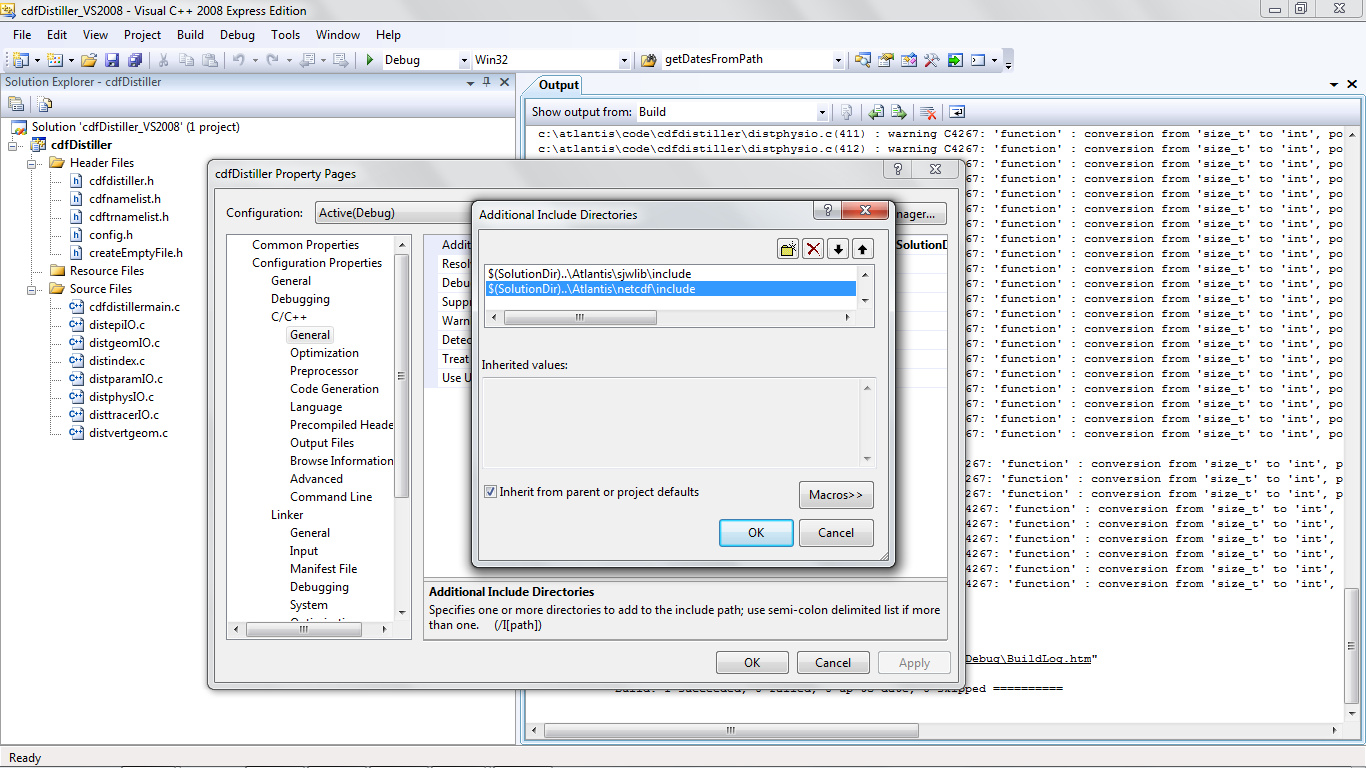
You will need to change the relative reference to where your atlantis code is.
You also need to edit the path of the sjwlib and netcdf libs.
These are also set in the Configuration Properties panel under the ‘Linker->Input’ option.
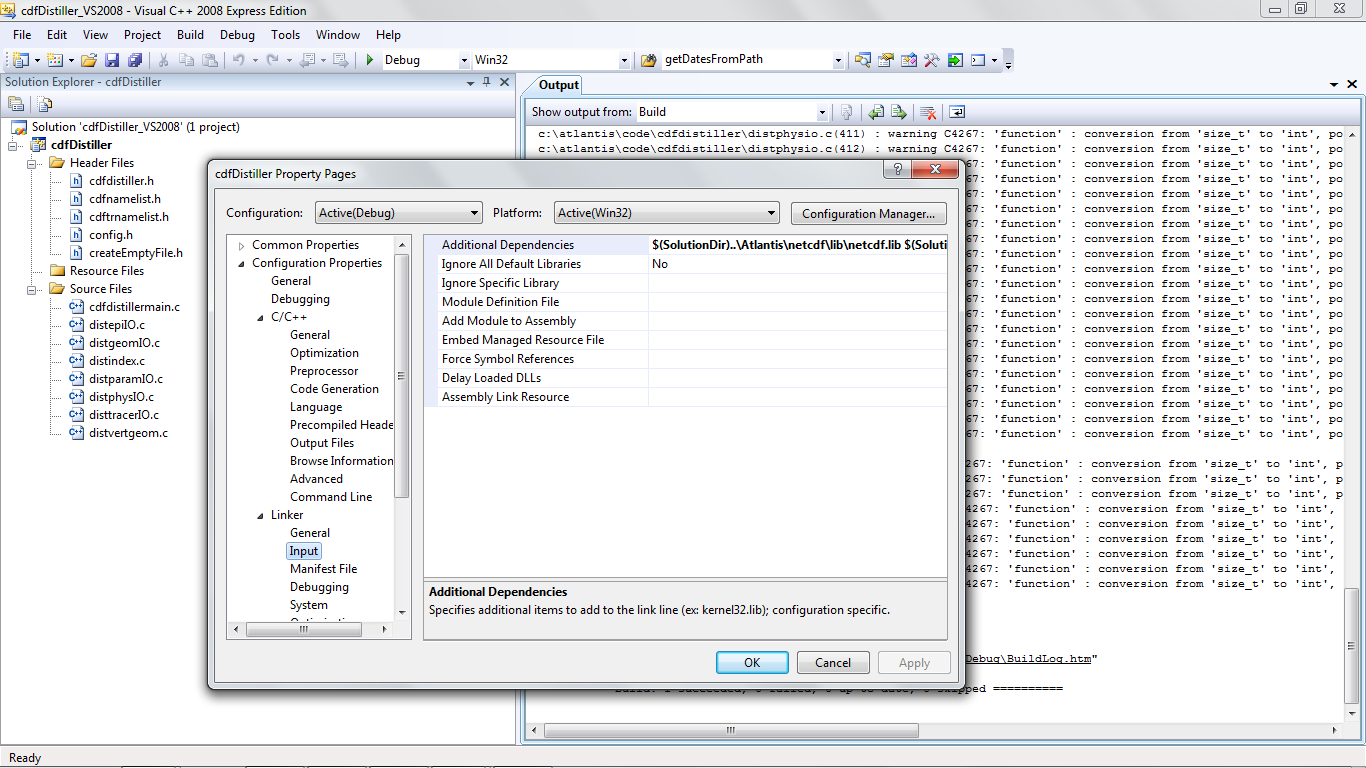
You want to edit the ‘Additional Dependencies’ field in a similar fashion to how you edited the ‘Additional Include Directories’ property.
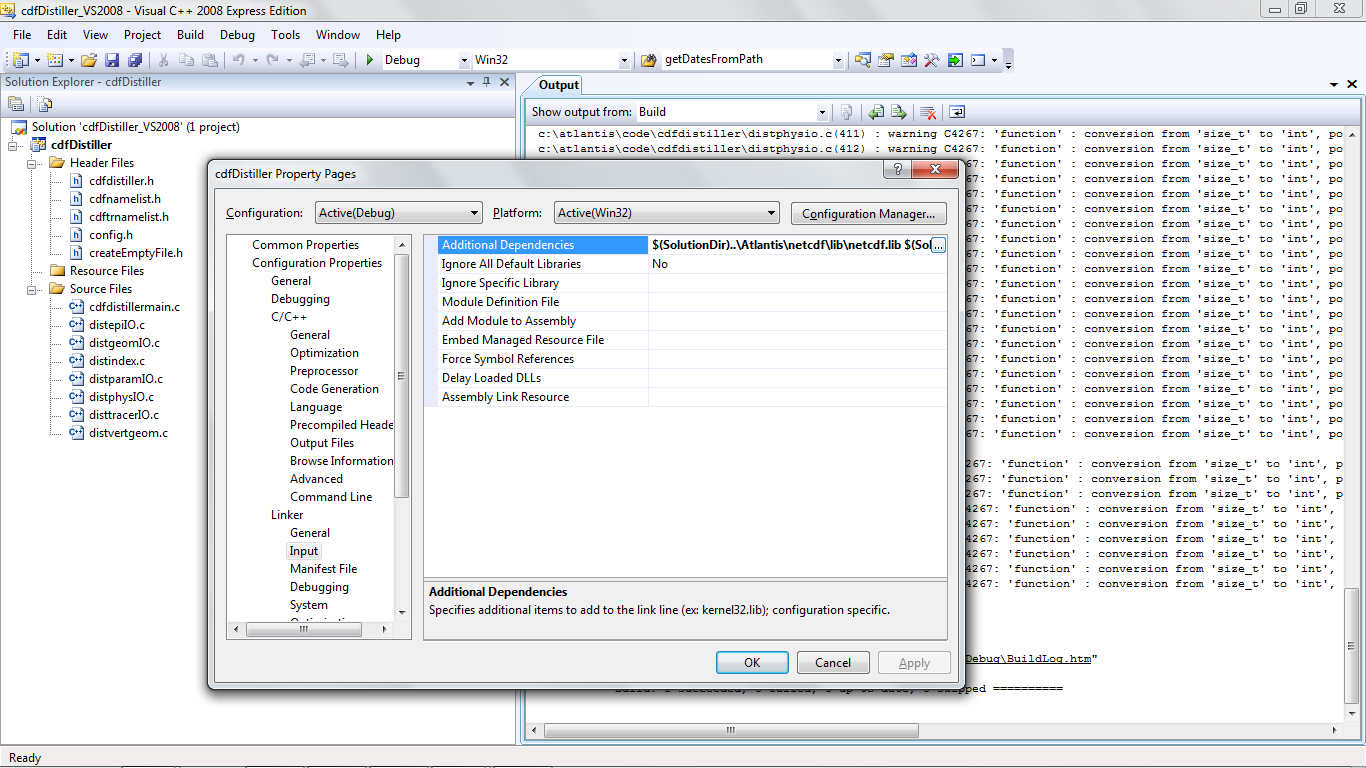
The Additional Dependancies field will contain the following default value:
$(SolutionDir)...lib $(SolutionDir)...lib
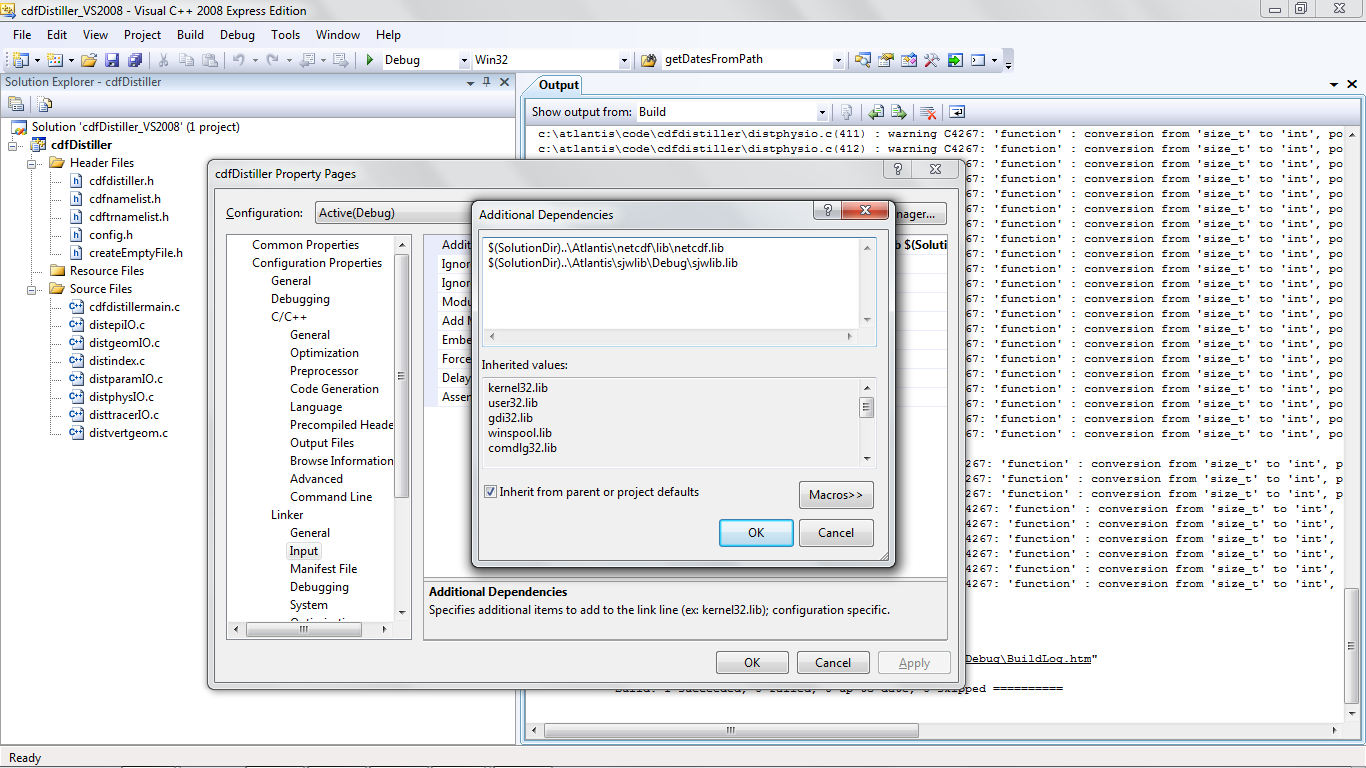
So you will also need to change the relative location to the atlantis directory.
If you can’t get this working contact Bec or move you cdfDistiller code to the default location as
indicated above.