HC - Building in Windows
Building HydroConstruct with Visual Studio
VS 2005
To open the hydroConstruct project double click on the hydroconstruct.sln file.
VS 2008 Express Edition
Open the file called hydroconstruct_VS2008.sln in Visual Studio 2008.
As everyone is going to change the folder that they check out the hydroconstruct code to relative to the atlantis code you will need to change the path to the netcdf and sjwlib libs and header files. Before you do this try rebuilding the project by selecting Build->Clean Solution and the Build->Build Solution.
Hopefully the sln file that is in the svn repository will work for you but it just depends on where you have checked out the hydrosconstruct code.
OK. So first we will tell hydroconstruct where to find the header files.
Step 1.
Right click on the hydroconstruct project in visual studio. Select the Properties menu item.
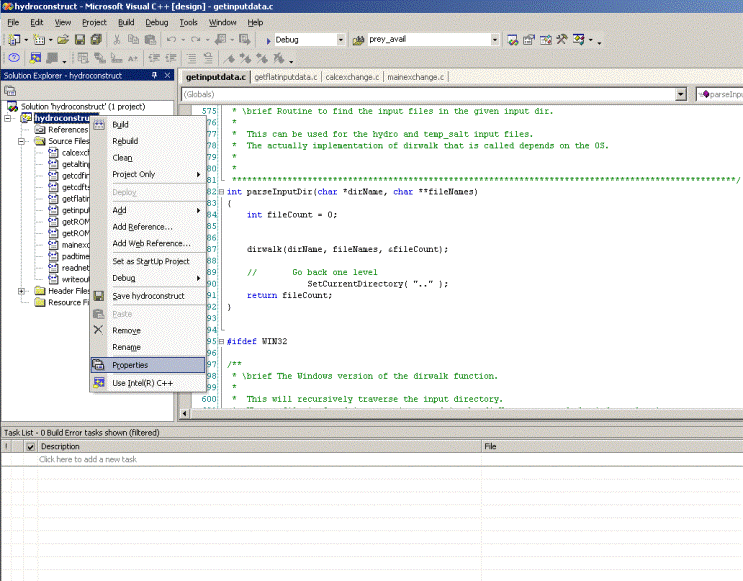
Step 2.
Select the General item under the C/C++ menu.
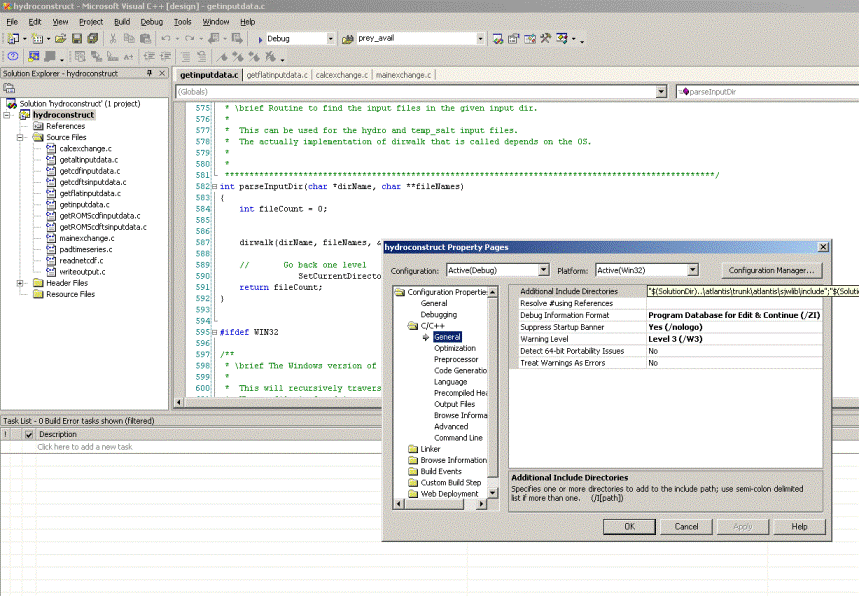
Step 3.
Open the Additional Include Directories field by clicking in the text field and the clicking on the “…” button to the right of the text.
This will open a new window so that you can edit the directories where the sjwlib and netcdf header files are.
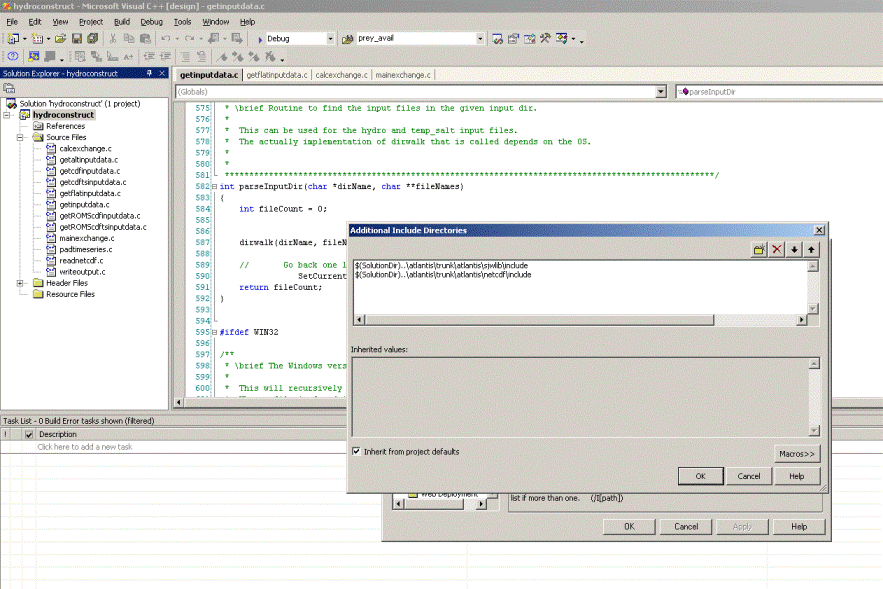
To edit this you have two options:
1. You can set up the directories using relative paths. This is basically telling the hydroconstruct where to find the atlantis source code relative to where the hydroconstruct code is.
In most cases you should be able to use the following:
\((SolutionDir)..\atlantis\sjwlib\include\)(SolutionDir)..- The other option is to just enter the absolute path to the atlantis code.
Option 2 will work fine as long as you don’t move your atlantis code.
ok. So that is the header files. Now you need to tell hydroconstruct where to find the lib files.
Back in the configuration Properties menu select the input option under the Linker menu item. We are editing the Additional Dependencies values.
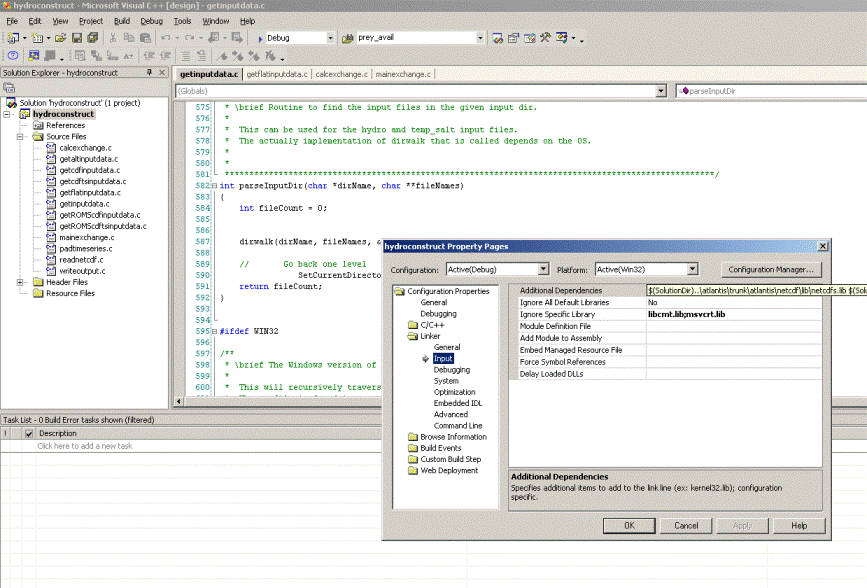
The following values should work for most people:
\((SolutionDir)..\atlantis\sjwlib\lib\sjwlib.lib\)(SolutionDir)...lib
Again you can use absolute paths if you prefer.
Right - that should be it. You should be able to build the project.
Remember you will have to copy the exe generated in the Debug folder to where you want to use it.